Check a new project before you commit to a deadline
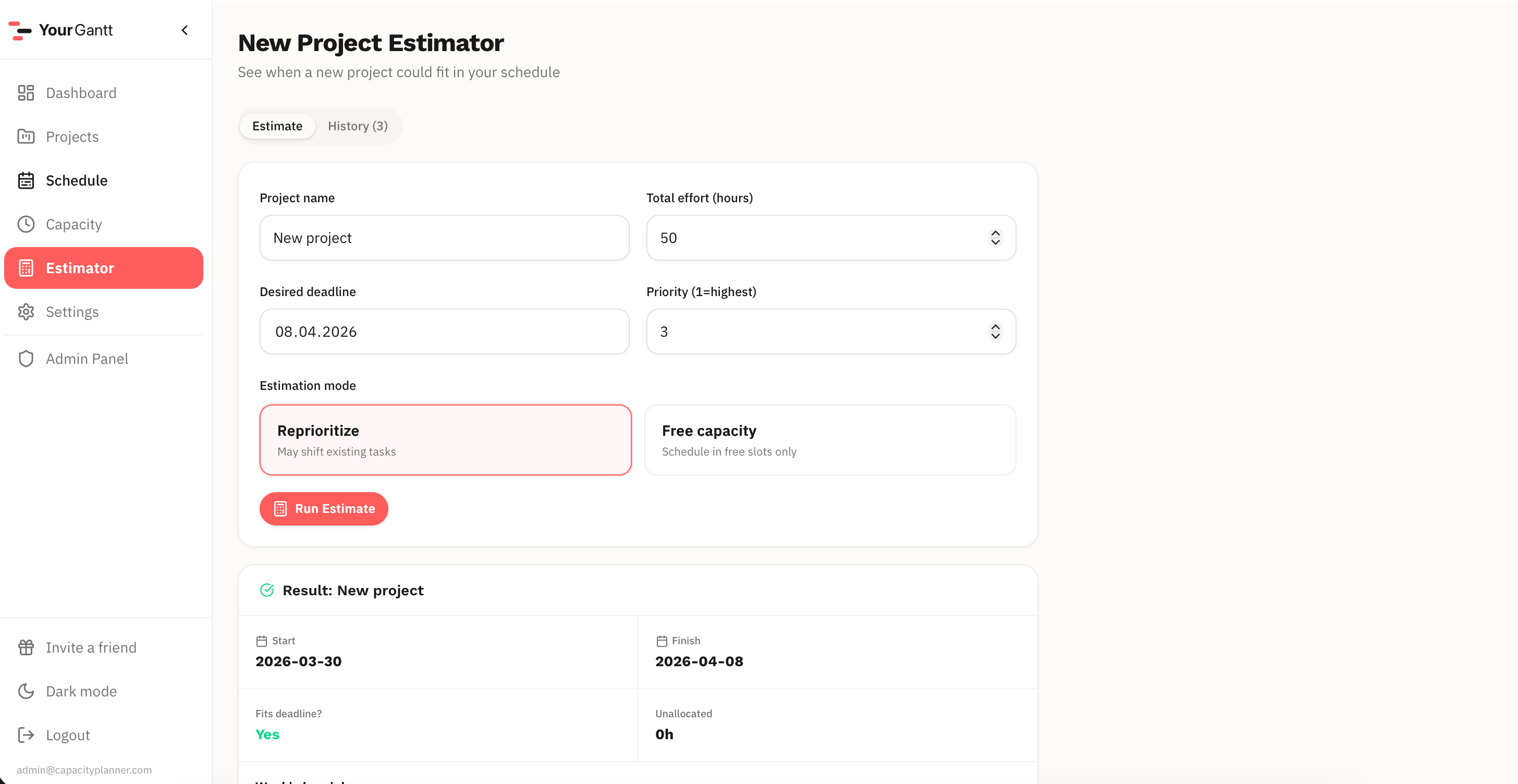
Add the project, set priority — and instantly see where overloads appear, what shifts, and when you can realistically start.
How project estimation works
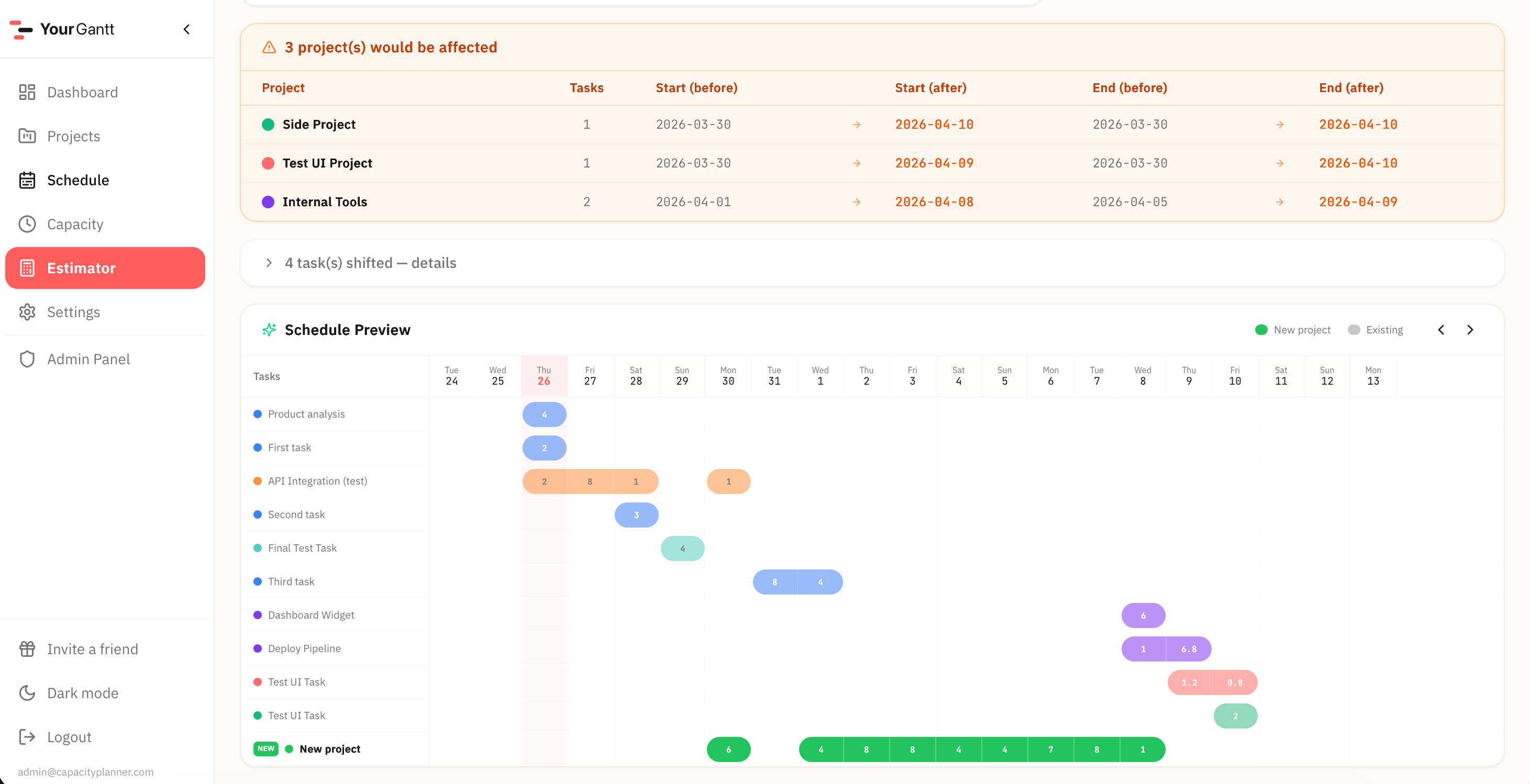
Enter a potential project's effort and deadline. The service shows how it fits into your current workload: which tasks shift and which deadlines are at risk.
Three questions the service answers
Can I take another project without breaking current deadlines?
What happens to other projects if I add an urgent one?
When can I realistically start a new project?
Make decisions based on data
Stop guessing if a project fits. A visual schedule preview with the new project helps you give clients an accurate timeline.
FAQ
Does this change my current schedule?
No. The estimator works in 'what-if' mode. Your current schedule doesn't change until you accept the project.
How do I set a new project's priority?
When creating the project, set the priority level. High-priority projects get more resources during recompute.
Can I compare multiple scenarios?
Yes, estimation history is saved. You can estimate several projects and compare their impact.
What else YourGantt can do
Auto-scheduling is just the start. Here's what else is included.
Gantt Chart
Interactive schedule: drag tasks, resize durations, see daily workload at a glance.
Workload Dashboard
All projects at once: progress, deadlines, overloads — on a single screen.
Even / Greedy Modes
Spread work evenly or focus on urgent — switch scheduling modes in one click.
Priority Overtime
Set allowed overtime for important projects — the system accounts for it automatically.
Project Priorities
Raise priority — and the plan restructures. The important project gets more work time automatically.
Can I take one more?
Check if a new project fits your schedule before committing to the client.
Overload Control
Overloaded days are highlighted instantly. See problems before they become missed deadlines.
Stop guessing deadlines
Lay out your tasks, check the impact of a new project, and see your work week before it falls apart.